1. Who Receives Texts
Texts in this program go only to people who have a ServePoint account: restaurant owners, managers and staff who use ServePoint software, and ServePoint's own team. We do not text restaurant guests under this program, and we do not send marketing or promotional messages.
2. What We Send
- Sign-in verification codes. A one-time code to sign in, or to finish setting up two-step verification, when you chose text messages for your codes.
- Password-reset links. A link to reset the password of your own account, sent when a password reset is requested for it, by you or by an authorized admin of your restaurant or of the ServePoint team.
- Restaurant setup and welcome links. When a new restaurant account is set up, a link to check the setup details and a link to set the password for the owner. These follow a separate, recorded agreement described in Section 5.
3. How You Opt In: Web Form
You opt in on a web form that you fill in yourself. No one can opt in for you. The form appears in these places:
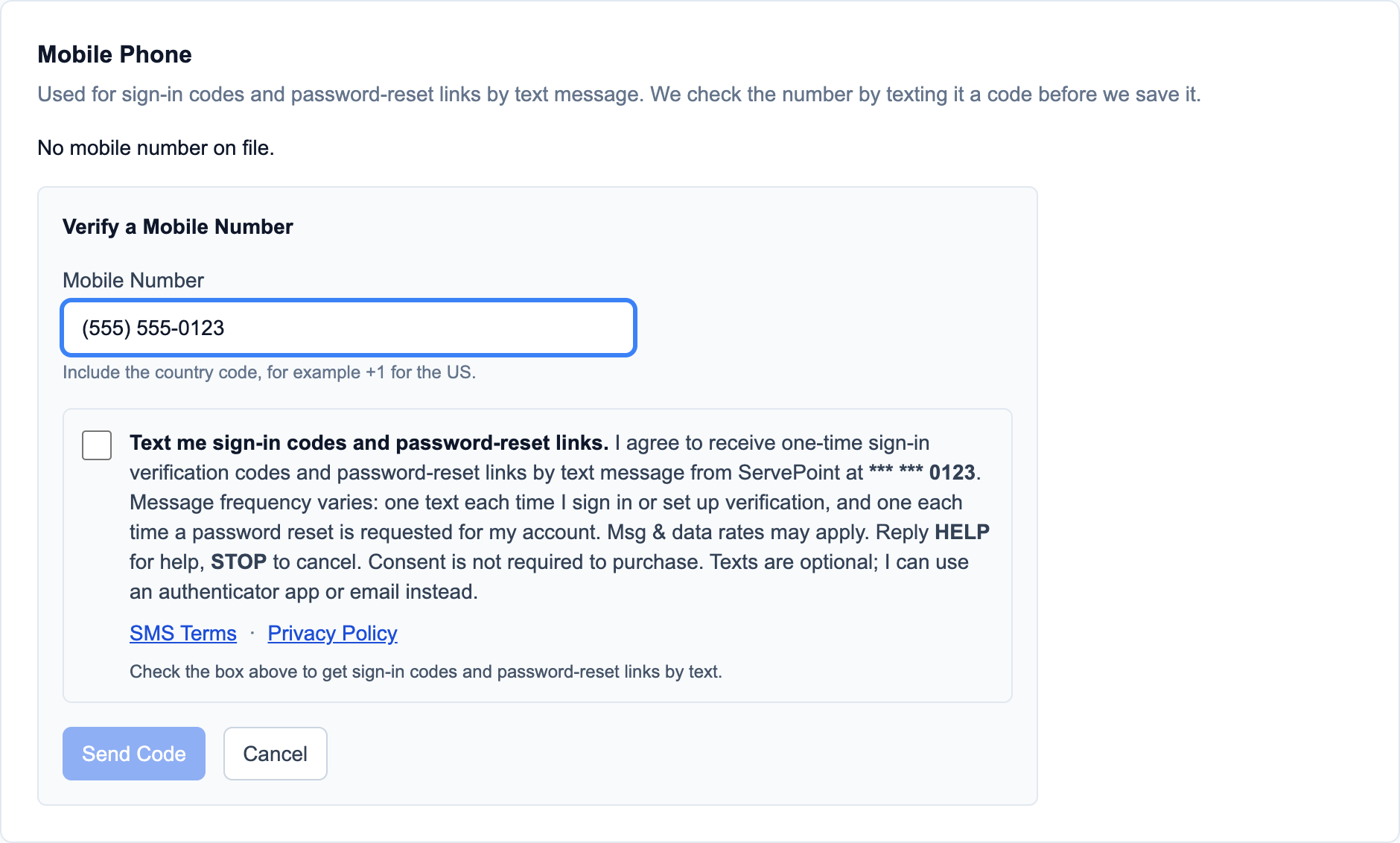
- My Profile, Mobile Phone in the restaurant admin portal and in the ServePoint staff portal, where you add or change your mobile number;
- Two-step verification setup in the restaurant admin portal, the employee portal and the ServePoint staff portal, when you choose text messages for your sign-in codes.
On the My Profile form:
- You type your mobile number into the form.
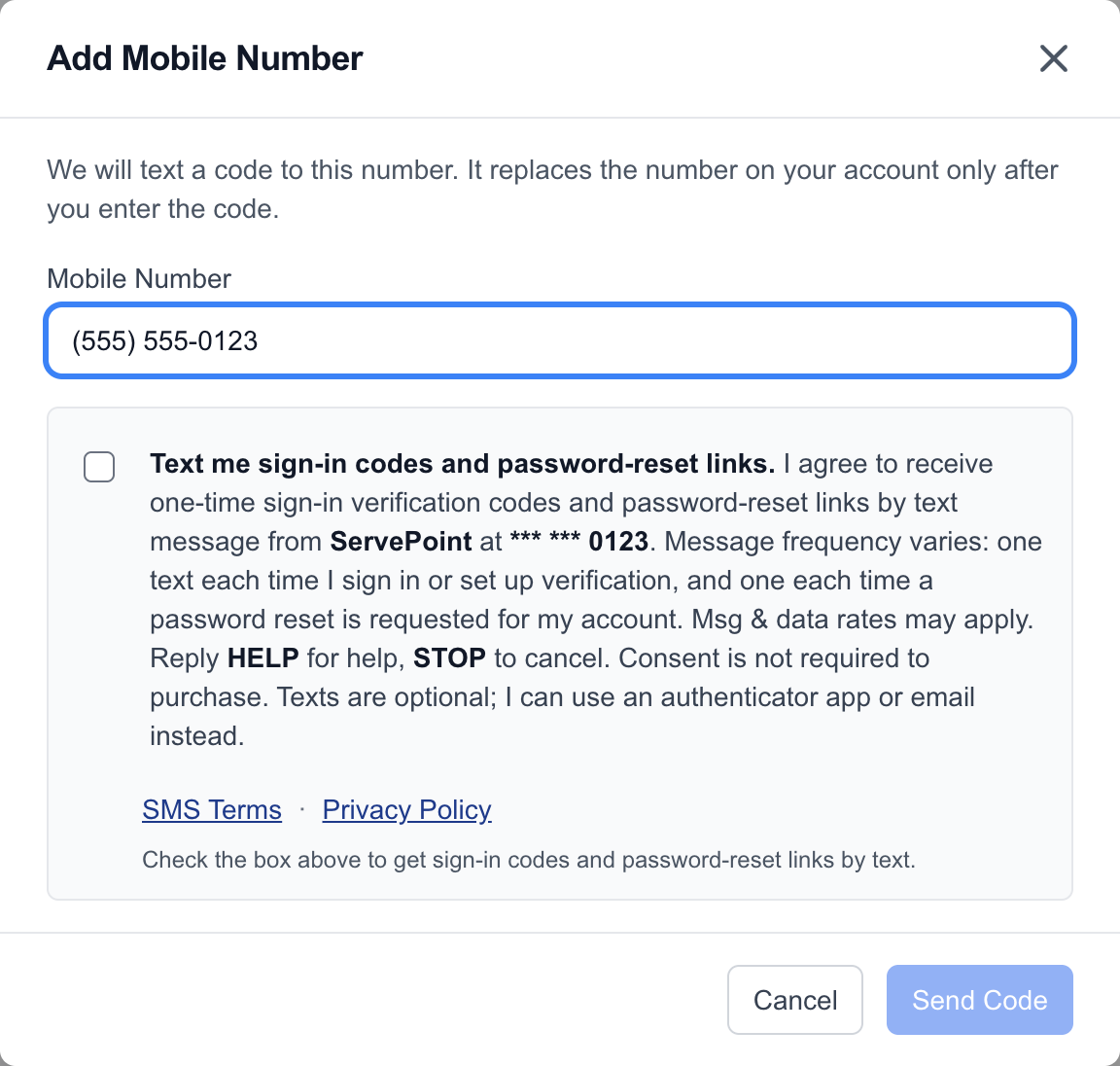
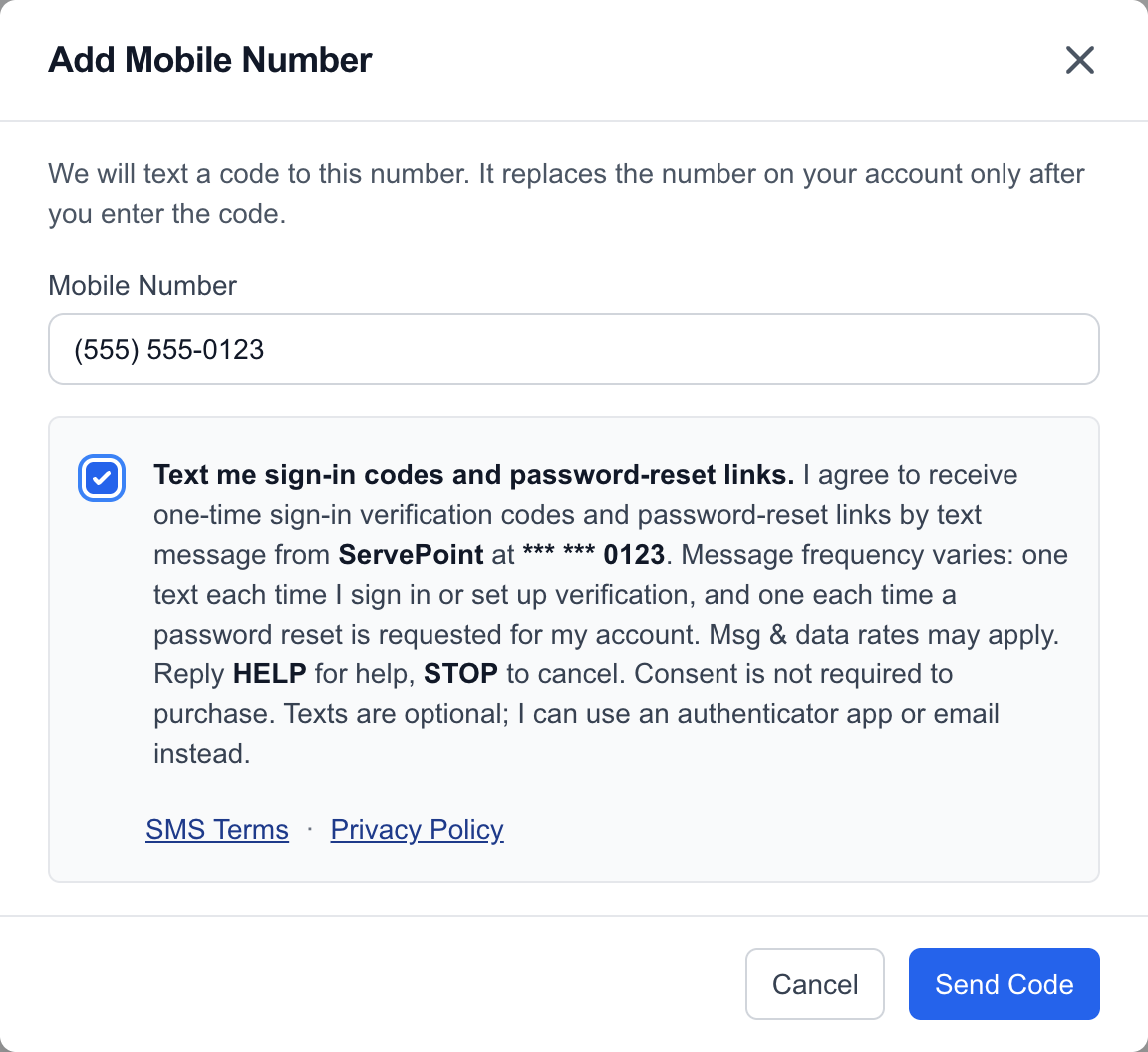
- Below it is a consent checkbox that is unchecked by default. You tick it yourself. The submit button stays disabled until you do.
- You submit the form.
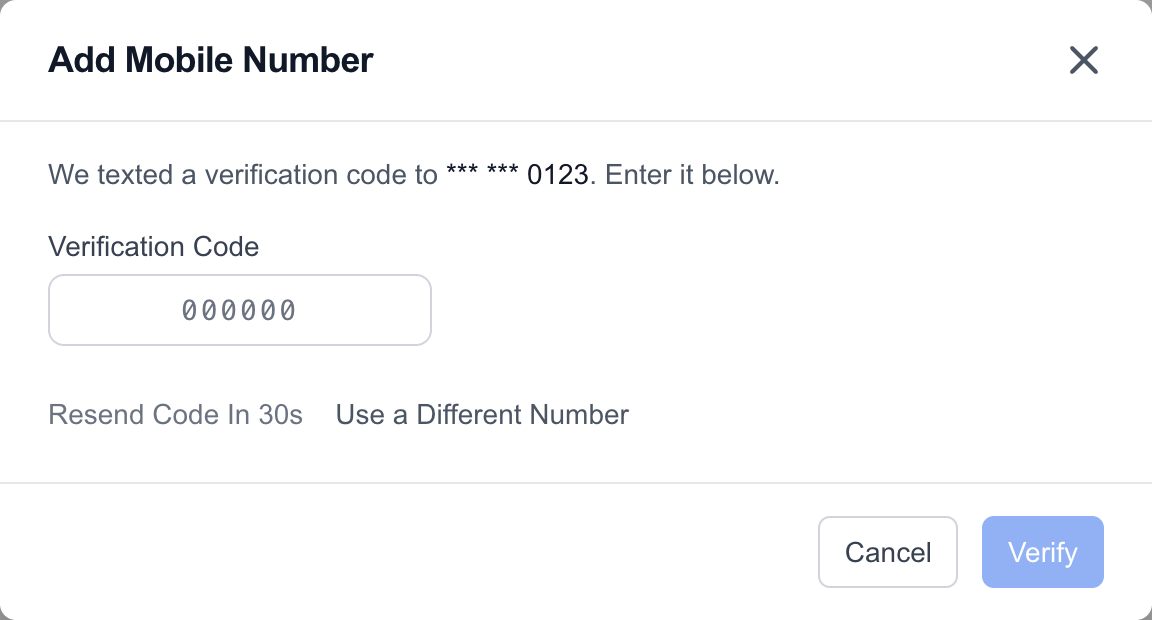
- We text a code to the number. You enter that code on the form to confirm the number is yours. The number is saved only after you confirm it.
Two-step verification setup uses the mobile number already on your account: the form shows it, with the last four digits visible, above the same unchecked box, and sends a code only after you tick it and continue.
The checkbox reads:
Text me sign-in codes and password-reset links.
I agree to receive one-time sign-in verification codes and password-reset links by text message from ServePoint at [your mobile number]. Message frequency varies: one text each time I sign in or set up verification, and one each time a password reset is requested for my account. Msg & data rates may apply. Reply HELP for help, STOP to cancel. Consent is not required to purchase. Texts are optional; I can use an authenticator app or email instead.
Links on the form: SMS Terms and Privacy Policy.
On the form, [your mobile number] shows the last four digits of your number. The checkbox is separate from any other terms you accept, and you can leave it unchecked and use an authenticator app or email instead.
4. Screenshots of the Opt-In Form
These are screenshots of the live opt-in form, with an example number. The first two show the form before you submit it, with the box unchecked and then checked; the next shows the form after you submit it, waiting for the code.
 (full size)
 (full size)
 (full size)
 (full size)
5. Restaurant Setup Texts
Restaurant setup texts are not opted in on a web form. When a member of the ServePoint team sets up a new restaurant account, they ask the restaurant contact and owner whether they agree to receive account-setup texts at the mobile numbers they give, and record that agreement in ServePoint before any setup text is sent. The setup link always goes by email as well, and the welcome text goes only when that agreement is recorded. If a mobile number changes, the agreement must be recorded again.
6. Message Frequency and Rates
Message frequency varies: one text each time you sign in with a text code or set it up, and one each time a password reset is requested for your account. A new restaurant receives a small number of setup and welcome texts. Message and data rates may apply.
7. Help and Opting Out
Reply HELP to any message for help, or contact ServePoint support at info@servepoint.me or 1-855-677-8768.
Reply STOP to any message to stop texts. You can also reply UNSUBSCRIBE, CANCEL, END or QUIT. You receive one text confirming you are unsubscribed, and no more after that. Reply START to receive texts again.
After you opt out, password-reset and setup links still reach you by email when your account has an email address, and you can switch your sign-in codes to an authenticator app or email.
8. Consent and Privacy
Consent is not required to purchase any goods or services, and texts are never a condition of using ServePoint.
Mobile information and opt-in data are not shared with third parties or affiliates for marketing or promotional purposes.
Read the SMS Terms, our Privacy Policy and our Terms of Service.